2026-09-15
Write it in Claude Desktop, read it back in Cursor
Docs can claim a memory graph is shared across every MCP client that connects to it. The only way to actually know is to add a fact in one client and try to retrieve it from a completely different one — so this post is real screenshots from three real clients, not a features list.
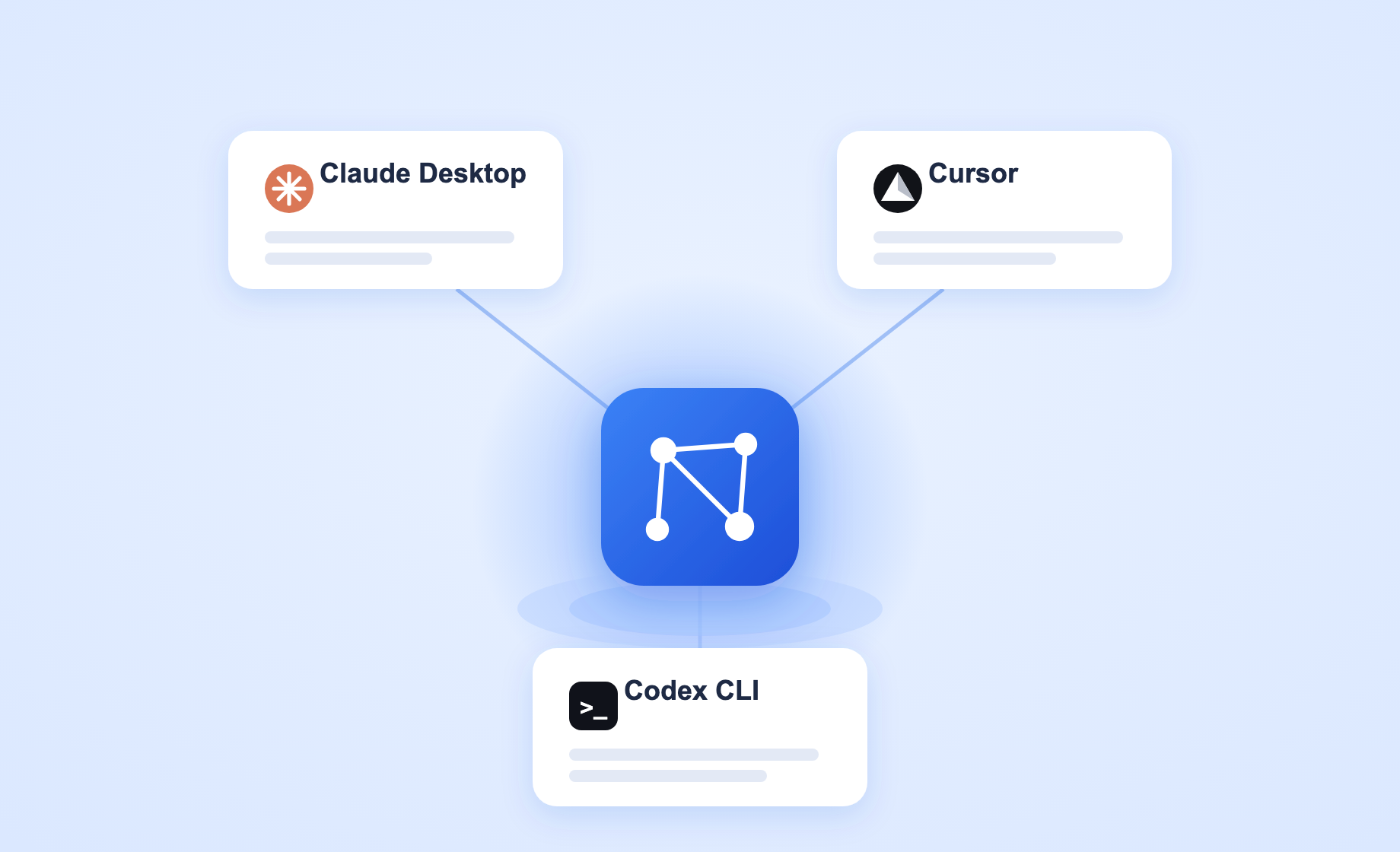
The test that actually matters: one fact, two clients
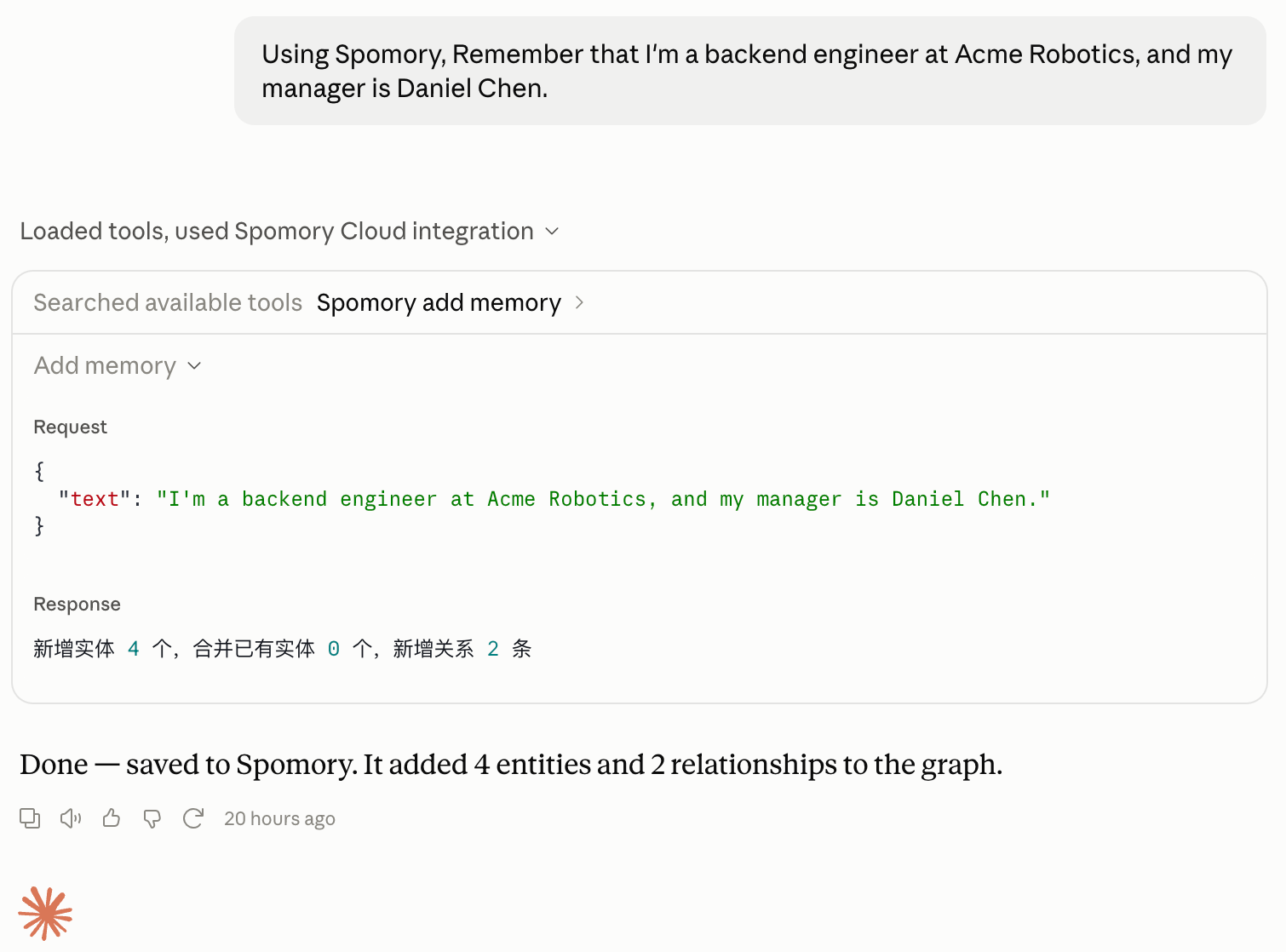
In a real Claude Desktop session connected to Spomory's cloud endpoint, Claude called add_memory to remember a fact:
Then, in a separate Cursor session — a different client, the same Spomory Cloud connection — a related but differently-worded question:
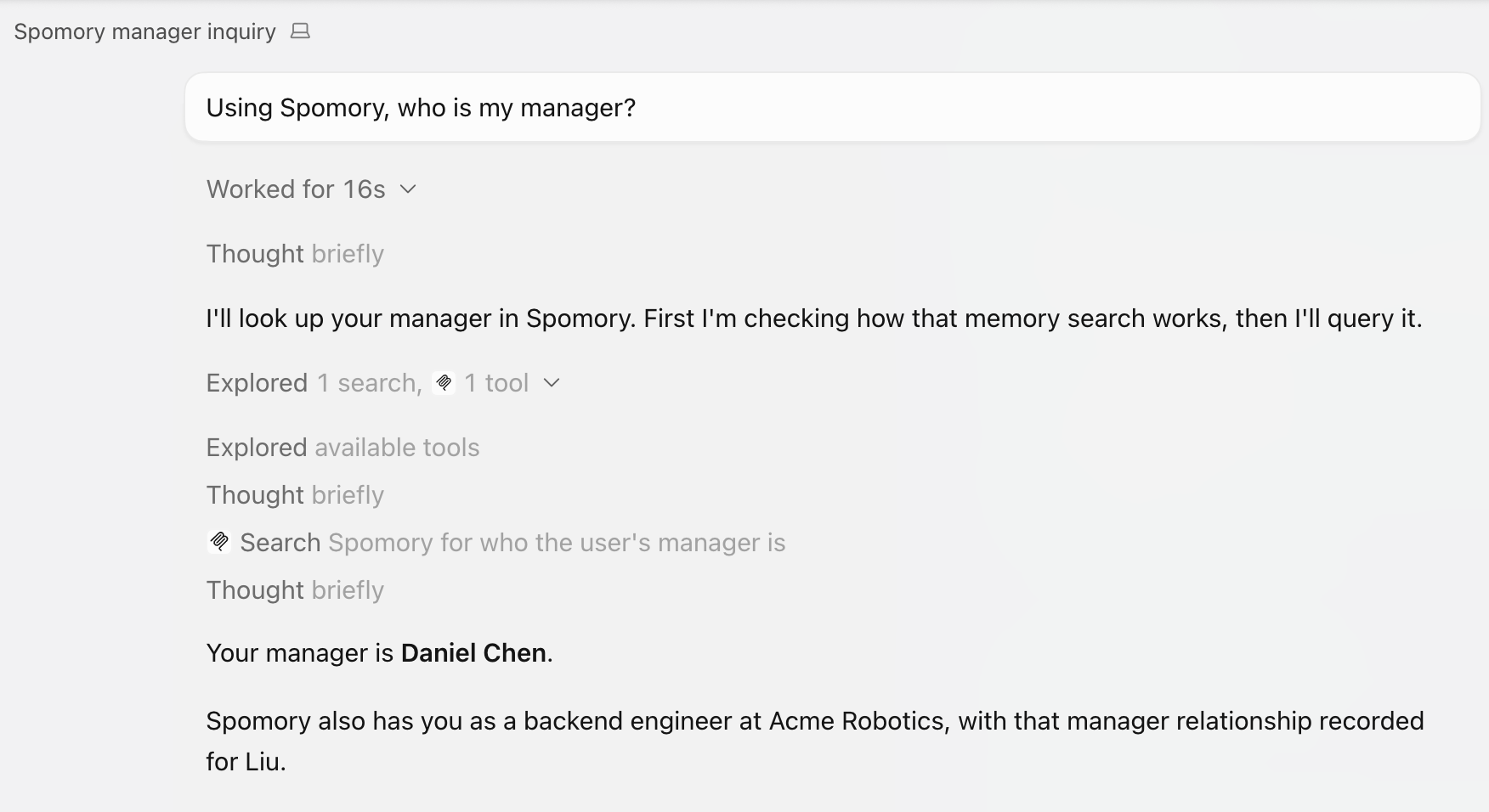
That's the actual claim being tested — not "Spomory has an MCP tool called search_memory," but "a fact written from Claude Desktop is retrievable from Cursor, phrased as a different question, through the same account." It worked, unscripted, on the first real attempt.
Claude Desktop: the connector, and all six tools
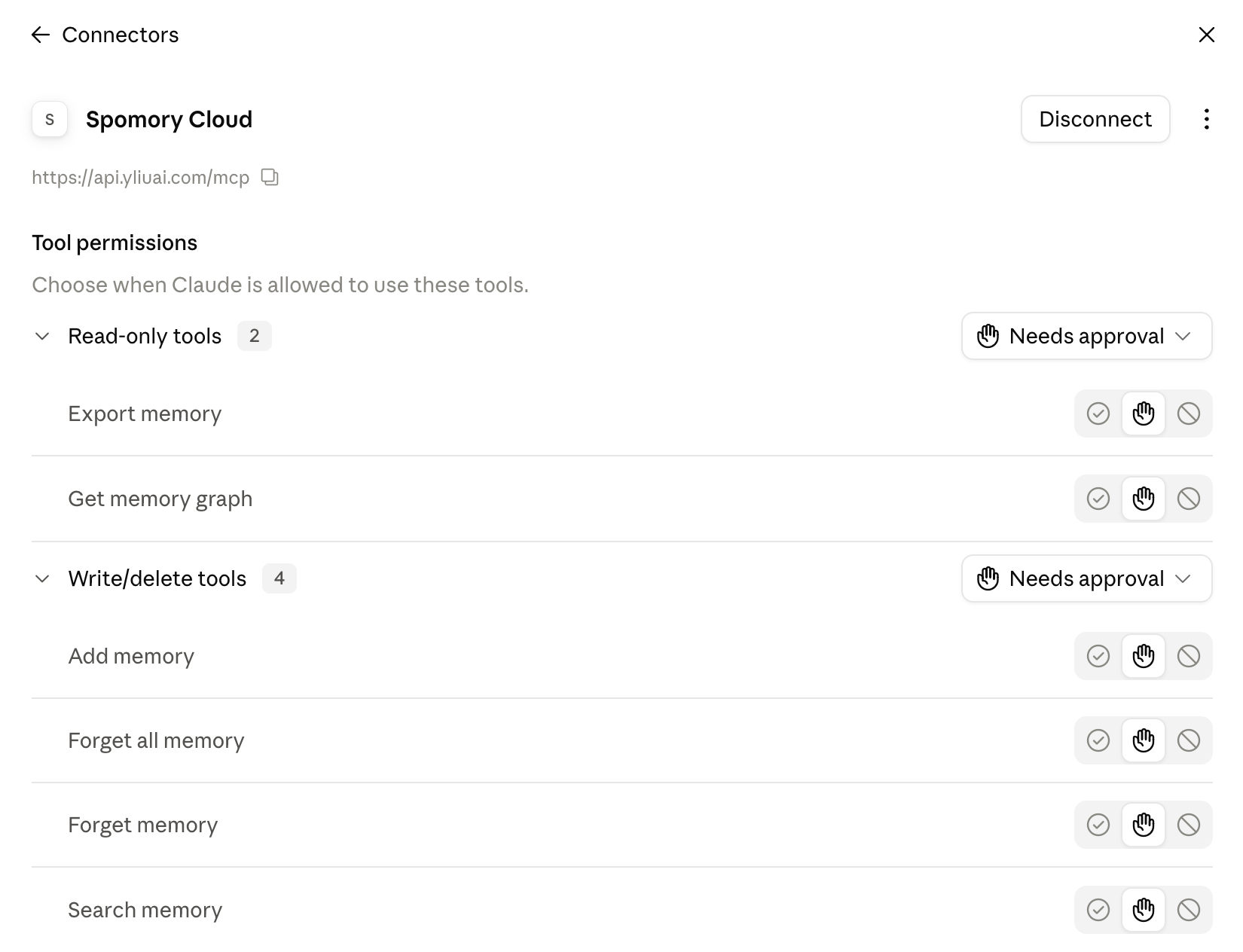
Connecting means adding a custom connector under Settings → Connectors, pointed at Spomory's OAuth endpoint (https://api.yliuai.com/mcp):
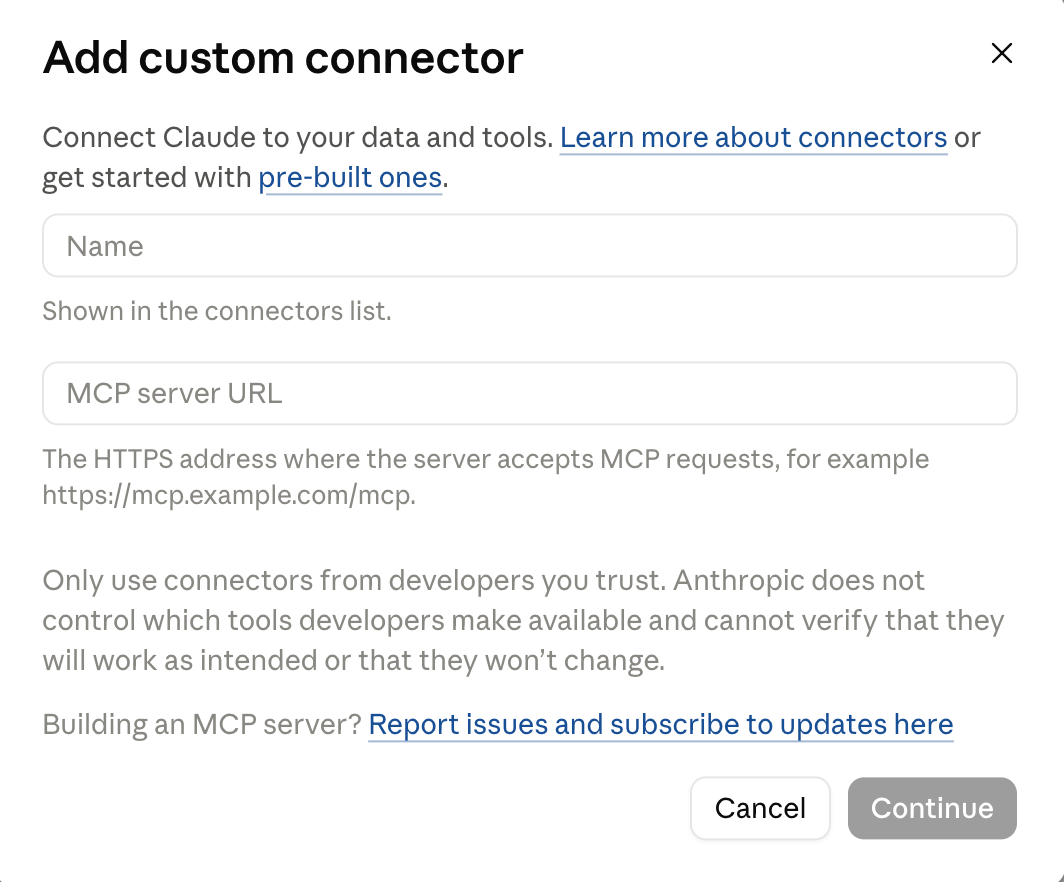
Once connected, all six tools show up with their real names and per-tool approval controls — including forget_all_memory, added after a real user (this project's own maintainer) hit the wall forget_memory is deliberately designed around: needing to call it once per fact instead of clearing everything in one step.
Cursor: the same remote connection, via mcp.json
Cursor doesn't have a dedicated "OAuth connector" flow the way Claude Desktop does — the same remote endpoint connects through a plain url + headers entry in mcp.json, reachable from Customize → MCPs → "+ New MCP Server":
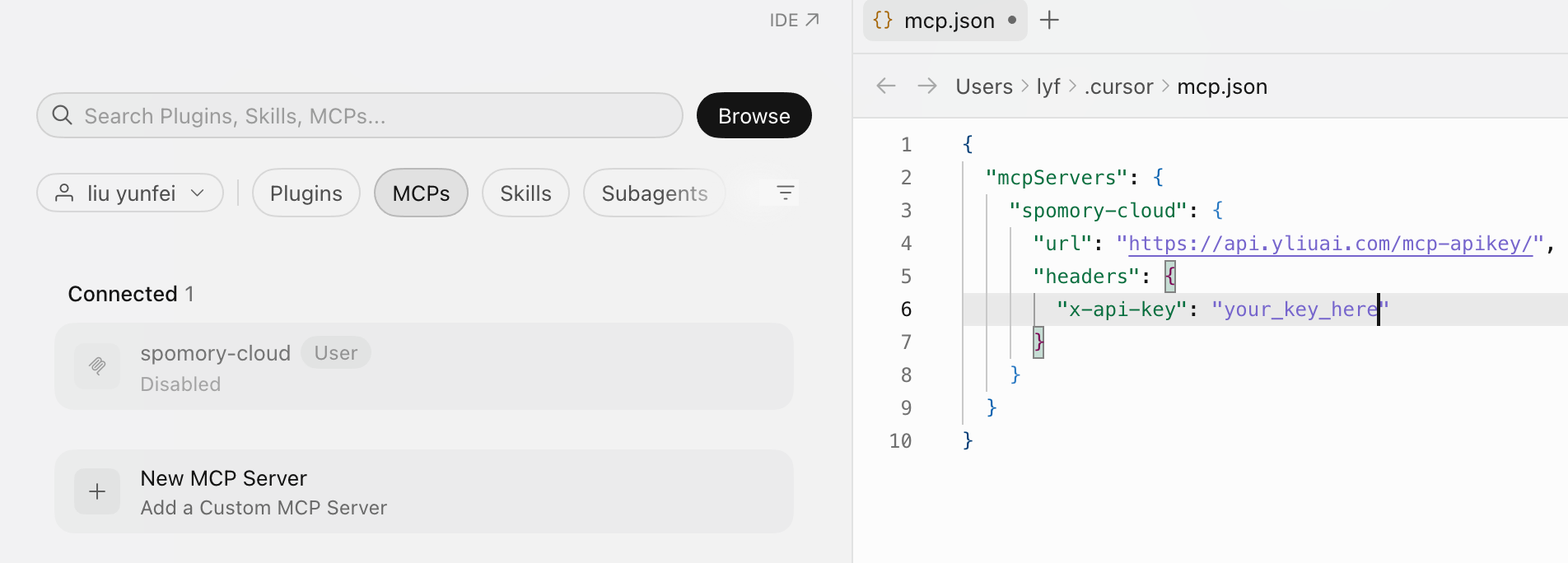
That's the actual JSON shape Cursor expects for a remote MCP server — url and headers, not command and env like the local/stdio version.
Codex CLI: config.toml, or the same thing as a form
Codex's native format is TOML, not JSON:
[mcp_servers.Spomory]
command = "/absolute/path/to/memory-core-venv/bin/memory-core-mcp"

[mcp_servers.Spomory.env]
LLM_API_KEY = "..."
LLM_BASE_URL = "https://api.deepseek.com"
LLM_MODEL = "deepseek-v4-flash"
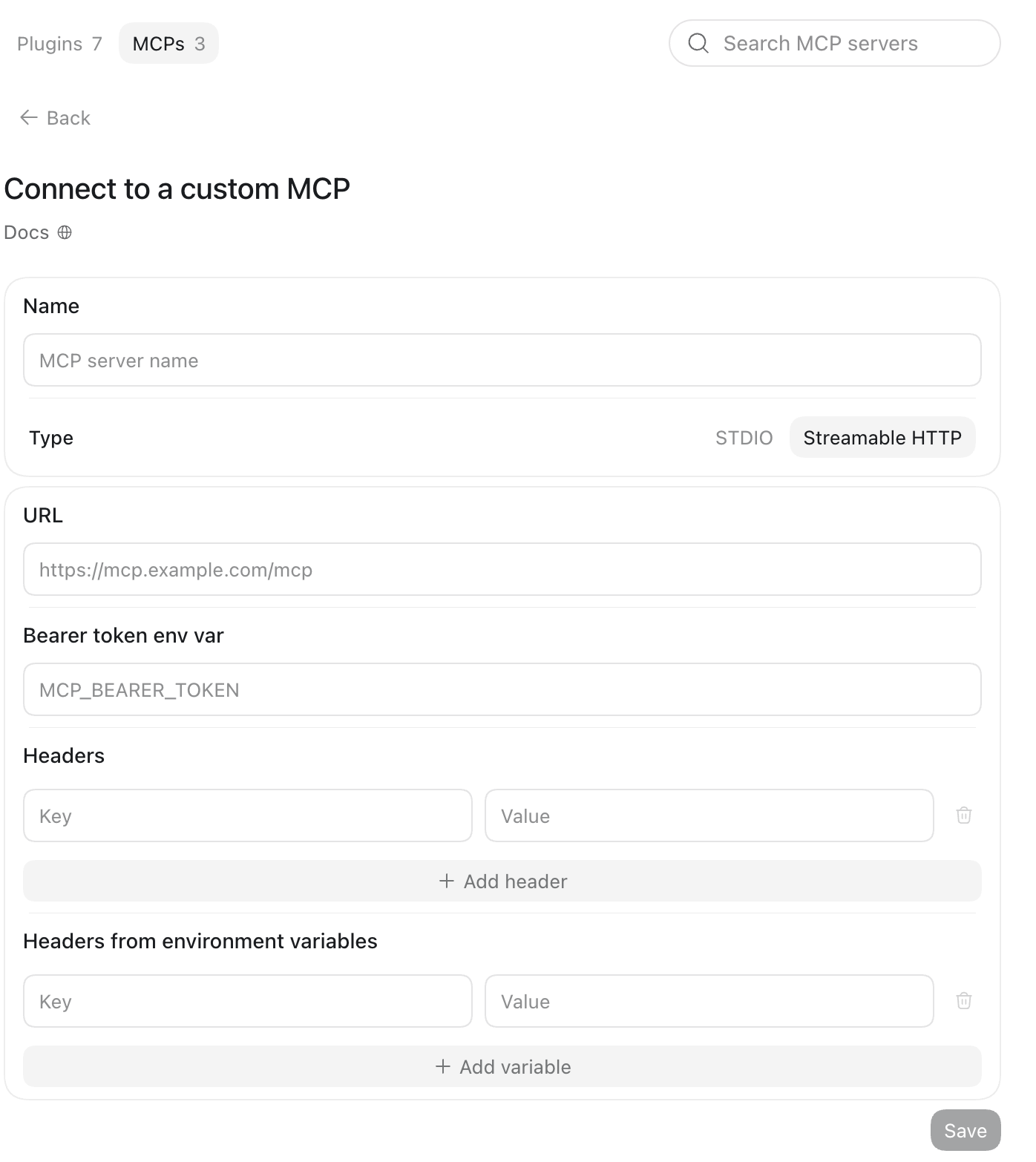
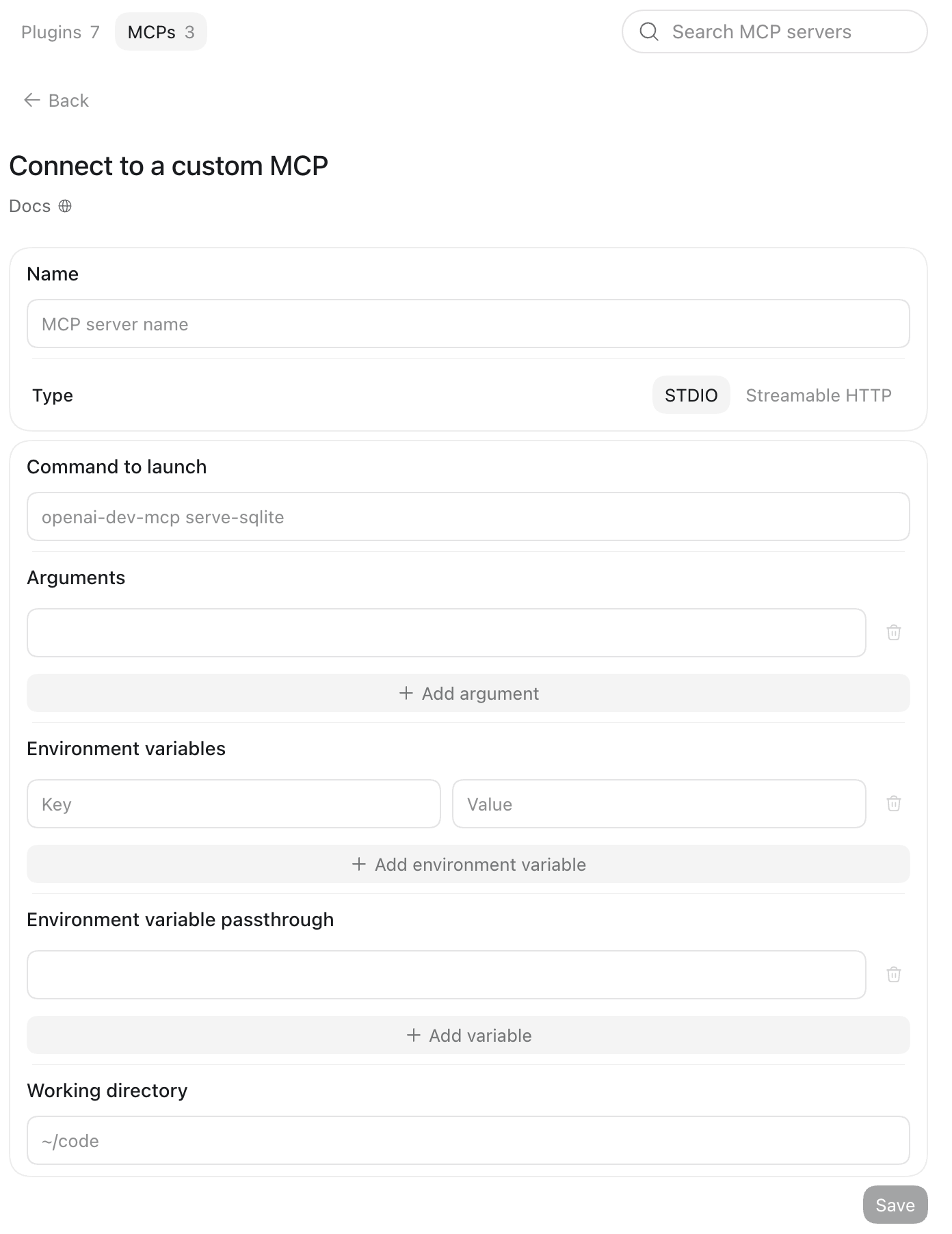
Codex's desktop/IDE builds also have a GUI form at Plugins → Manage → MCPs → "+ Add server", supporting both connection types Spomory needs: Streamable HTTP for the remote deployment, STDIO for the local one.
What this post doesn't cover
Codex CLI's connection path is verified — it connects and registers the tools correctly — but this post doesn't have a request/response transcript for it the way Claude Desktop and Cursor do above. The full setup steps for all three clients, local and remote alike, live in the GitHub docs linked below.
Full MCP quickstart doc on GitHub (setup steps for all three clients) →